How to Give Partner Access to Your Facebook Page on Meta Business Suite
If someone is managing your facebook page, please contact them and send the link of this guide. This step is really essential so we could start joining groups and post ads as soon as possible. The longer it takes for us to access the page, the more the process will be delayed. We are asking for your complete cooperation. Thank you.
Follow these steps to grant a partner access to your Facebook Page on Meta Business Suite.
Step-by-Step Guide
-
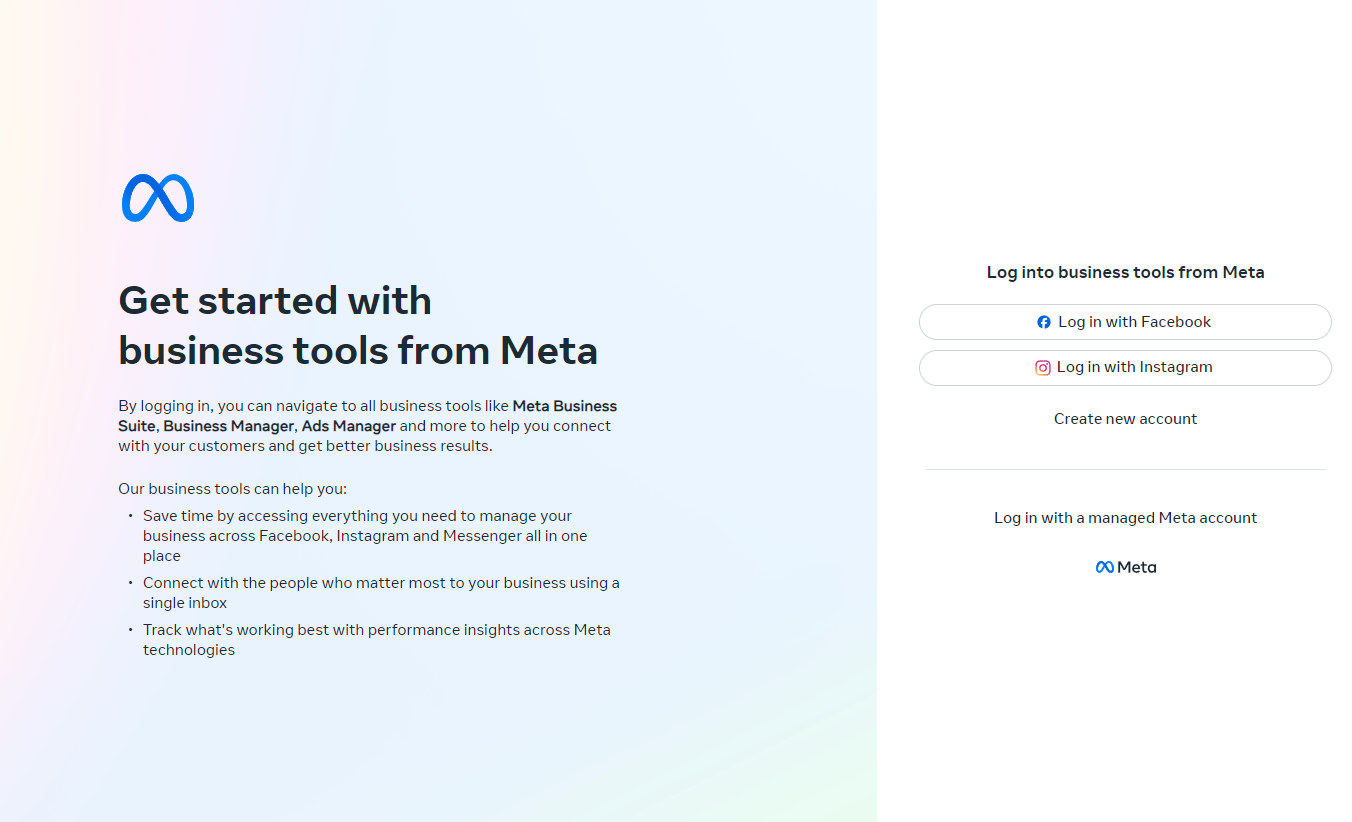
Log into Meta Business Suite:
Go to Meta Business Suite and log in with your Facebook credentials.
-
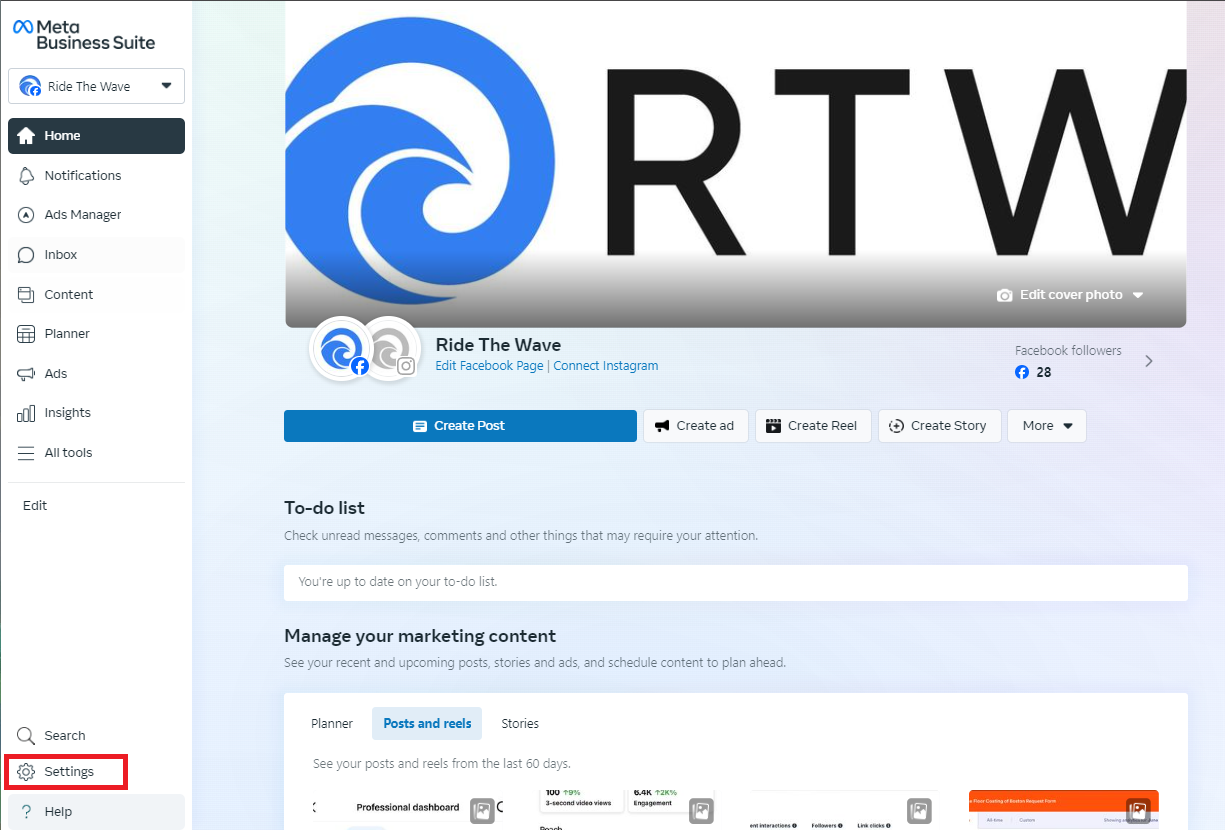
Navigate to Settings:
In the left-hand menu, click on Settings.
-
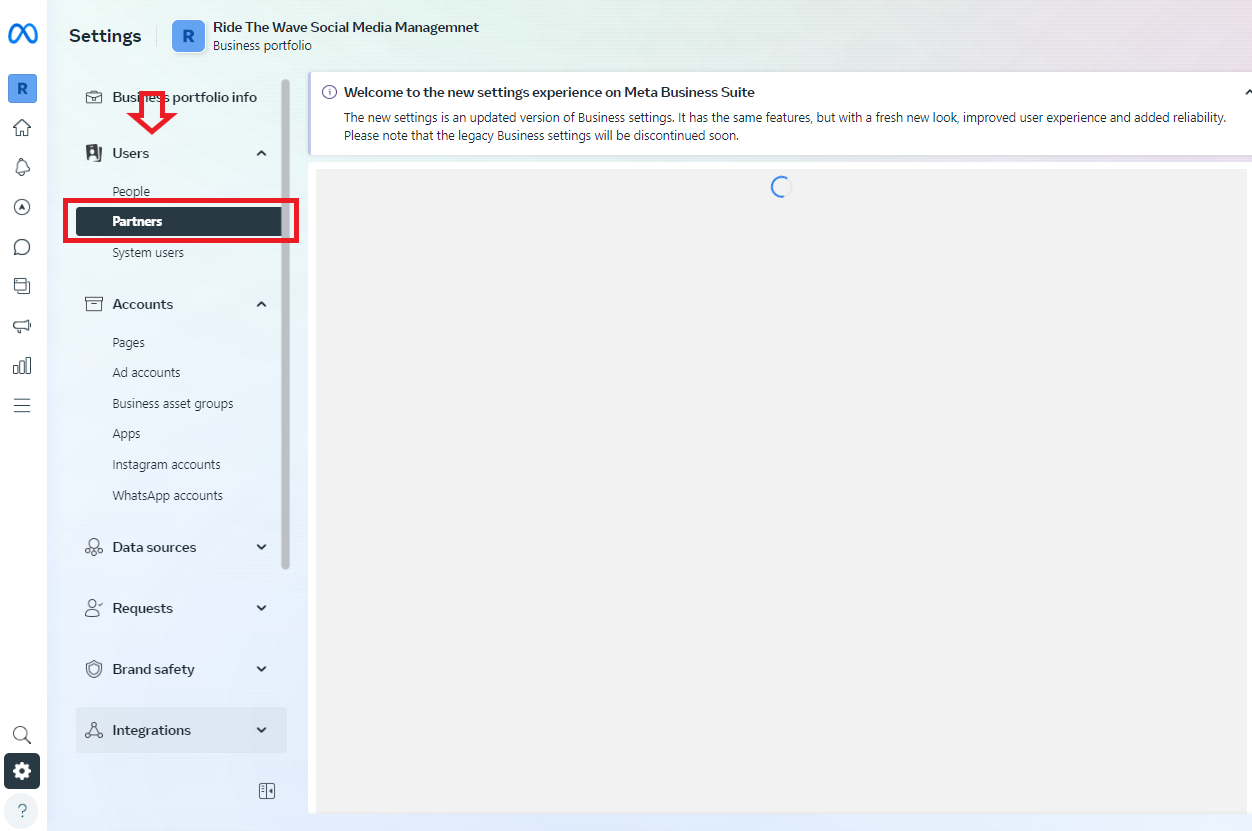
Access the Partner Section:
In Settings, click on Users and select Partners.
-
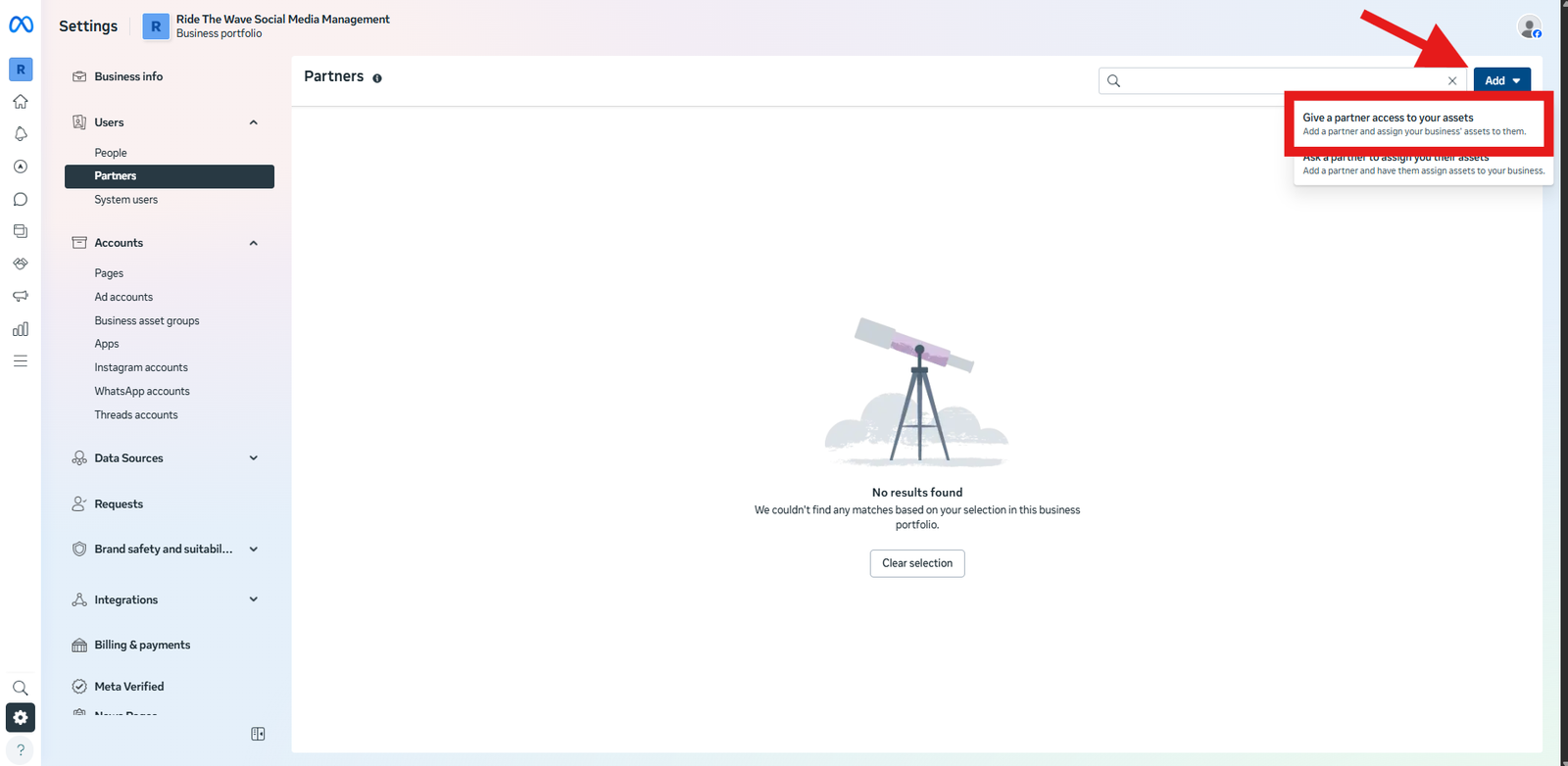
Add a New Partner:
Click on the Add button, then select Give a partner access to your assets.
-
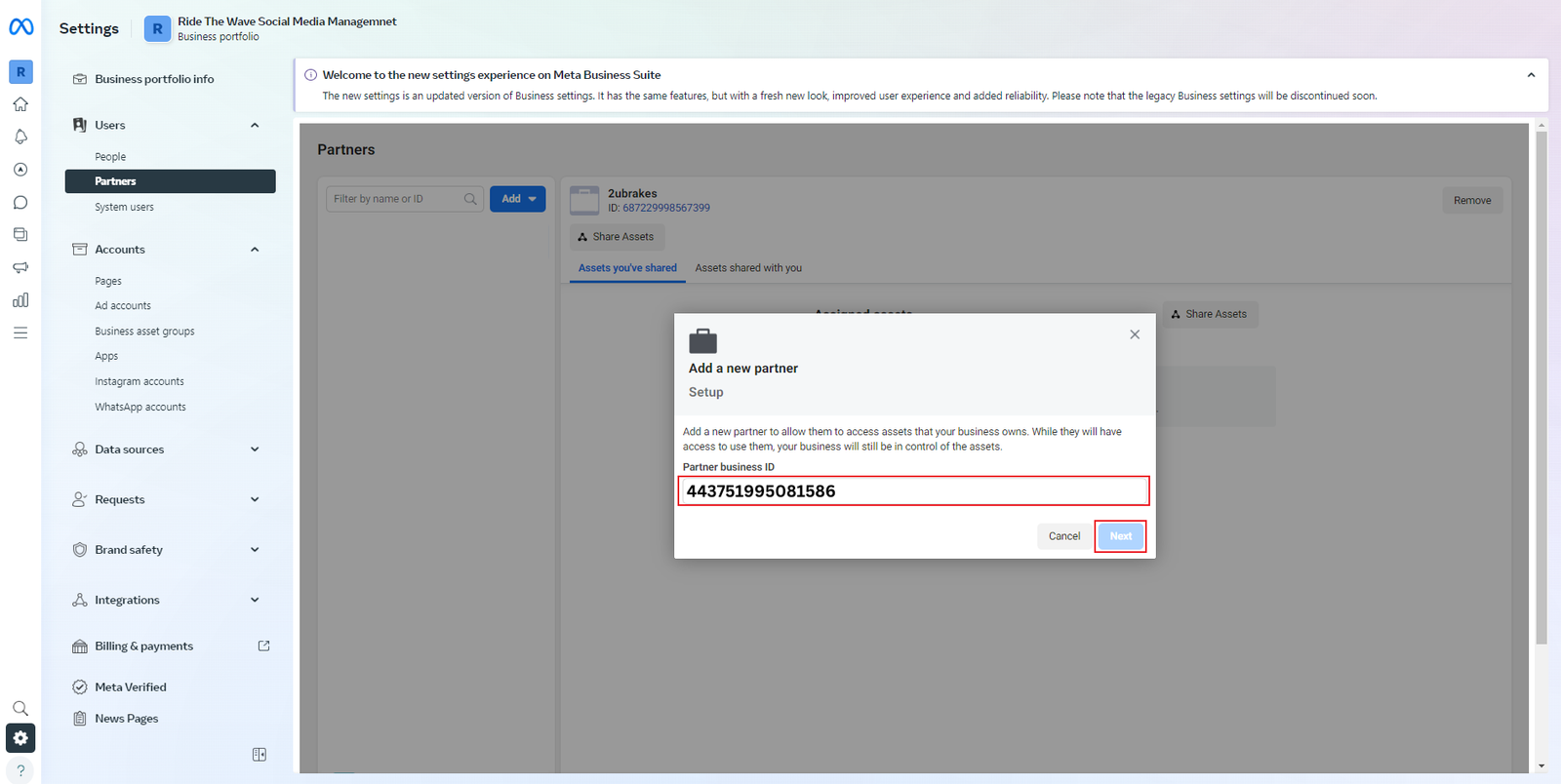
Enter Partner Business ID:
Enter our Business ID: 443751995081586 then click Next.
-
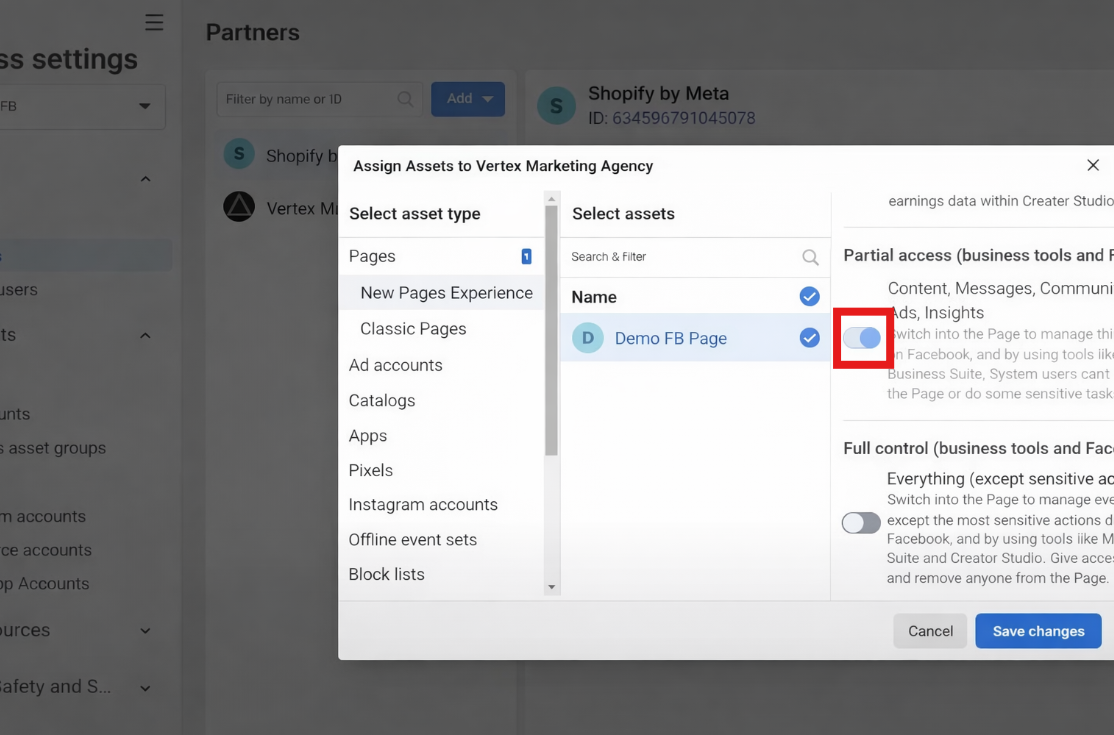
Assign Assets and Set Permissions:
Select your Facebook Page to share and set the level of access to Full Control.
-
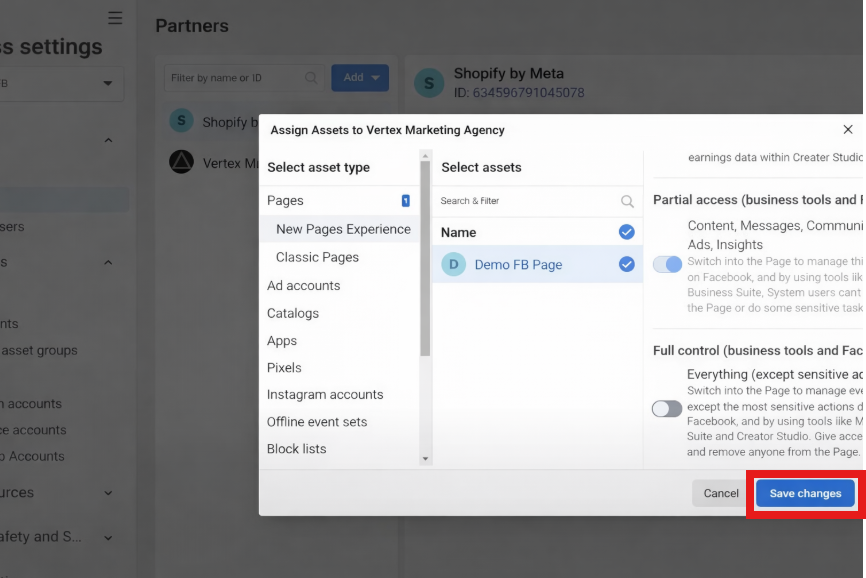
Review and Confirm:
Review the permissions and click Save Changes to grant us partner access and it's done!
Additional Tips
- If you have any questions, please reach out to me using this phone number (508) 570-9662 or via email dmagazu@ridethewave.info. We are excited to have you on board!